IT and hardware
Every time you unlock your phone, join a video call or save a file to the cloud, physical machines are doing the work behind the scenes. IT and hardware form the foundation of our digital world: the processors, memory chips, cables, servers and networking equipment that make software useful in the first place. Yet for many people, hardware remains a confusing realm of acronyms and spec sheets.
This category page is designed to demystify the subject. Whether you are a student, a small business owner or simply a curious user, you will find clear explanations of how hardware works, how the different pieces fit together, and how to make sensible choices when buying or maintaining equipment.
What Does IT and Hardware Actually Mean?
Information technology (IT) is the broad field covering the use of computers, networks and systems to store, process and share information. Hardware is the physical part of that equation, everything you can touch, from a laptop keyboard to a data center server. Software, by contrast, is the set of instructions that tells the hardware what to do.
A helpful analogy is to think of hardware as the body and software as the mind. A powerful processor is like strong muscles: it can do a lot of work, but it needs clear instructions to be useful. This is why IT professionals always consider both sides when solving a problem: a slow computer might need a hardware upgrade, or it might simply be running too many programs at once.
The Main Categories of Hardware
- Computing devices: desktops, laptops, tablets and smartphones used directly by people.
- Servers and data center equipment: machines that host websites, applications and databases around the clock.
- Networking hardware: routers, switches, modems and access points that move data between devices.
- Storage: hard drives, solid-state drives (SSDs) and external backups that keep data safe.
- Peripherals: monitors, printers, keyboards, webcams and headphones that extend what a computer can do.
Each category plays a distinct role, and understanding them helps you diagnose problems and plan purchases with far more confidence.
Understanding the Core Components of a Computer
Inside every computer, a handful of key components work together. Knowing what they do makes product comparisons much easier and helps you avoid paying for specifications you do not actually need.
- Processor (CPU): the chip that executes instructions. A faster CPU improves tasks like video editing, spreadsheets with large datasets and running multiple applications simultaneously.
- Memory (RAM): short-term working space. More RAM allows you to keep more applications and browser tabs open without slowdowns.
- Storage: SSDs are faster and more durable than traditional hard drives, and they noticeably improve boot times and file access.
- Graphics card (GPU): handles visuals. Essential for gaming, 3D design and video work, less critical for browsing and office tasks.
- Motherboard and power supply: the backbone that connects components and delivers stable electricity.
Imagine a small accounting firm upgrading an aging office computer. By switching from a hard drive to an SSD and adding RAM, the team often sees a dramatic improvement in everyday speed, without needing a whole new machine. Targeted upgrades can be far more cost-effective than complete replacements.
Hardware and the Cloud: Why Physical Machines Still Matter
With so many services moving online, it is tempting to think hardware no longer matters. In reality, the cloud is simply someone else’s hardware. Every cloud service runs on physical servers housed in data centers, connected by undersea cables and vast networking infrastructure.
This has two practical consequences for everyday users. First, your own device still matters: a weak laptop will struggle with modern web applications regardless of how fast the cloud is. Second, understanding hardware helps you evaluate cloud services intelligently, for example by recognizing why storage tiers, bandwidth limits and processing power affect pricing.
Choosing Between Local and Cloud-Based Setups
- Identify how sensitive your data is and whether regulations in your industry affect where it can be stored.
- Estimate your need for speed: tasks requiring heavy local processing benefit from powerful on-site hardware.
- Consider your internet reliability, since cloud access depends entirely on your connection.
- Factor in total cost over time, including subscriptions, electricity, maintenance and eventual replacement.
Most individuals and small organizations end up with a hybrid approach: capable local devices for daily work, combined with cloud services for backup, collaboration and storage.
Networking Hardware Explained Simply
Networking is where many people feel least confident, yet the basics are straightforward. Your modem connects your home or office to your internet provider. Your router directs traffic between your devices and manages your local network. Wi-Fi access points, often built into routers today, provide wireless connectivity, while switches and Ethernet cables link devices with wired, generally faster and more stable connections.
A few practical habits make a noticeable difference in everyday performance:
- Position your router centrally and away from thick walls and large metal objects.
- Use wired Ethernet connections for devices that need stability, such as a work computer or a gaming console.
- Restart your router occasionally if speeds feel sluggish; many small issues resolve themselves this way.
- Keep router firmware updated to benefit from security patches and performance improvements.
How to Choose Hardware That Fits Your Needs
Marketing often pushes buyers toward the most powerful option available. A more sustainable approach is to match specifications to your actual usage. Answering a few questions first saves money and frustration:
- List the tasks you perform most often: browsing, video calls, photo editing, gaming, coding or design.
- Identify your bottleneck today: slow startup suggests storage, freezing during multitasking suggests RAM, choppy visuals suggest the GPU.
- Set a realistic budget and prioritize the components that address your bottleneck.
- Check compatibility and upgrade options before buying, especially with laptops, which are often harder to modify later.
- Read reviews that reflect your use case rather than relying purely on benchmark scores.
As a general rule, a balanced machine with a fast SSD, sufficient RAM and a modern processor serves most users better than an expensive system with one exaggerated component.
Sustainability and Longer Device Lifespans
Hardware choices also have an environmental dimension. Manufacturing a computer carries a significant carbon footprint, so extending the life of your devices is one of the most effective ways to reduce impact. Simple practices help: regular cleaning to prevent overheating, timely upgrades instead of premature replacement, proper battery care, and responsible recycling through certified e-waste programs when a device truly reaches the end of its life. Many manufacturers and local communities now offer take-back or refurbishment schemes worth checking before discarding old equipment.
Basic Maintenance Every User Can Handle
You do not need to be a technician to keep hardware healthy. A short routine prevents most common problems:
- Keep vents and fans free of dust to avoid overheating.
- Back up important data regularly, ideally using both a local drive and a cloud service.
- Install operating system and firmware updates to maintain security and stability.
- Use surge protectors to shield equipment from power fluctuations.
- Monitor storage space, since nearly full drives slow down performance.
When something does go wrong, a structured approach helps: note what changed recently, restart the device, check cables and connections, and search for the specific error message. Many issues that seem serious turn out to have simple causes.
Looking Ahead: Trends Shaping IT Hardware
The hardware landscape keeps evolving, and a few trends are worth following even for non-specialists. Processors are becoming more energy-efficient, extending battery life in laptops and reducing the power consumption of data centers. Solid-state storage continues to fall in price while capacity grows. Artificial intelligence workloads are driving new chip designs optimized for machine learning. And connectivity improvements keep raising expectations for speed, both at home and in professional networks.
None of these trends require you to constantly replace your equipment. Instead, they explain why hardware bought today tends to age more gracefully than in the past, and why understanding the basics empowers you to decide when an upgrade genuinely makes sense.
Building Your Confidence With IT and Hardware
Hardware can seem intimidating because it is physical, technical and full of jargon. But the underlying ideas are logical and learnable: components have specific roles, networks connect them, and every purchase decision becomes easier once you know what each part contributes. Start with the concepts on this page, apply them to the devices you already own, and explore the category’s articles as they grow. Step by step, the world of IT and hardware becomes not just understandable, but genuinely useful in your daily and professional life.
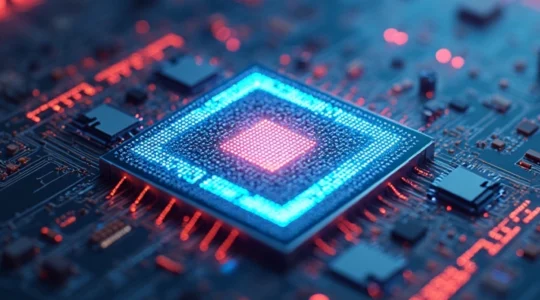
Why is processor performance crucial for modern computing?
Processor performance lies at the heart of modern computing, driving the capabilities of everything from smartphones to supercomputers. As our digital world becomes increasingly complex, the demands on processors continue to grow exponentially. The ability of these silicon powerhouses to…
Lire la suite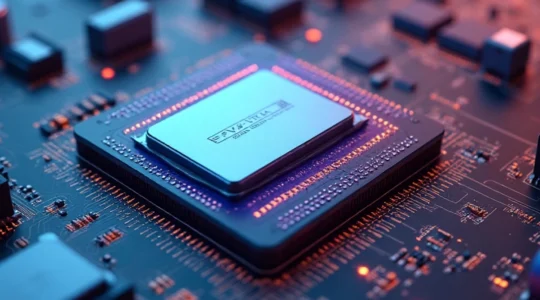
Hardware components define your computer’s capabilities
In the world of computing, hardware components form the backbone of every system, determining its performance, capabilities, and limitations. From the central processing unit (CPU) that serves as the brain of the machine to the graphics processing unit (GPU) that…
Lire la suiteWhat are the best cooling systems for gaming desktops?
Gaming desktops push hardware to its limits, generating significant heat that can impact performance and longevity. Effective cooling is crucial for maintaining optimal speeds, preventing thermal throttling, and ensuring your gaming rig runs smoothly for years to come. From air…
Lire la suite
A powerful graphics card transforms your gaming experience
Gaming has come a long way since the days of pixelated sprites and basic 2D environments. Today’s video games offer stunningly realistic graphics, immersive worlds, and complex gameplay mechanics that push hardware to its limits. At the heart of this…
Lire la suite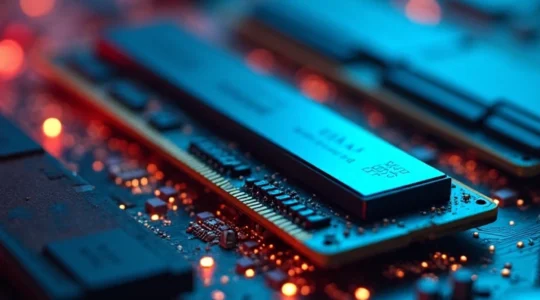
How to upgrade your PC memory without hassle?
Upgrading your computer’s memory is one of the most effective ways to boost its performance. Whether you’re a power user, a gamer, or simply looking to breathe new life into an aging system, adding more RAM can significantly improve your…
Lire la suite
Essential checklist for an ergonomic desktop setup
Creating an ergonomic workspace is crucial for maintaining comfort, productivity, and long-term health. As more people spend extended hours at their desks, the importance of a properly configured workstation cannot be overstated. An ergonomic setup not only reduces the risk…
Lire la suite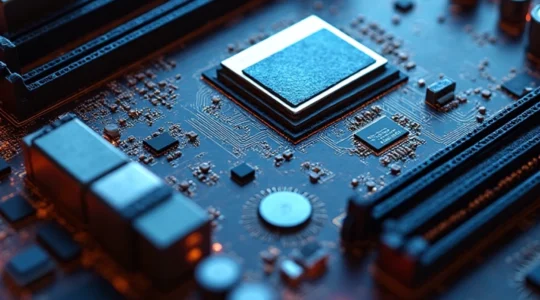
Motherboard configuration determines expansion possibilities
Motherboards serve as the foundation of any computer system, acting as the central hub that connects and coordinates all components. The configuration of a motherboard plays a crucial role in determining the expansion possibilities of a PC, influencing everything from…
Lire la suite